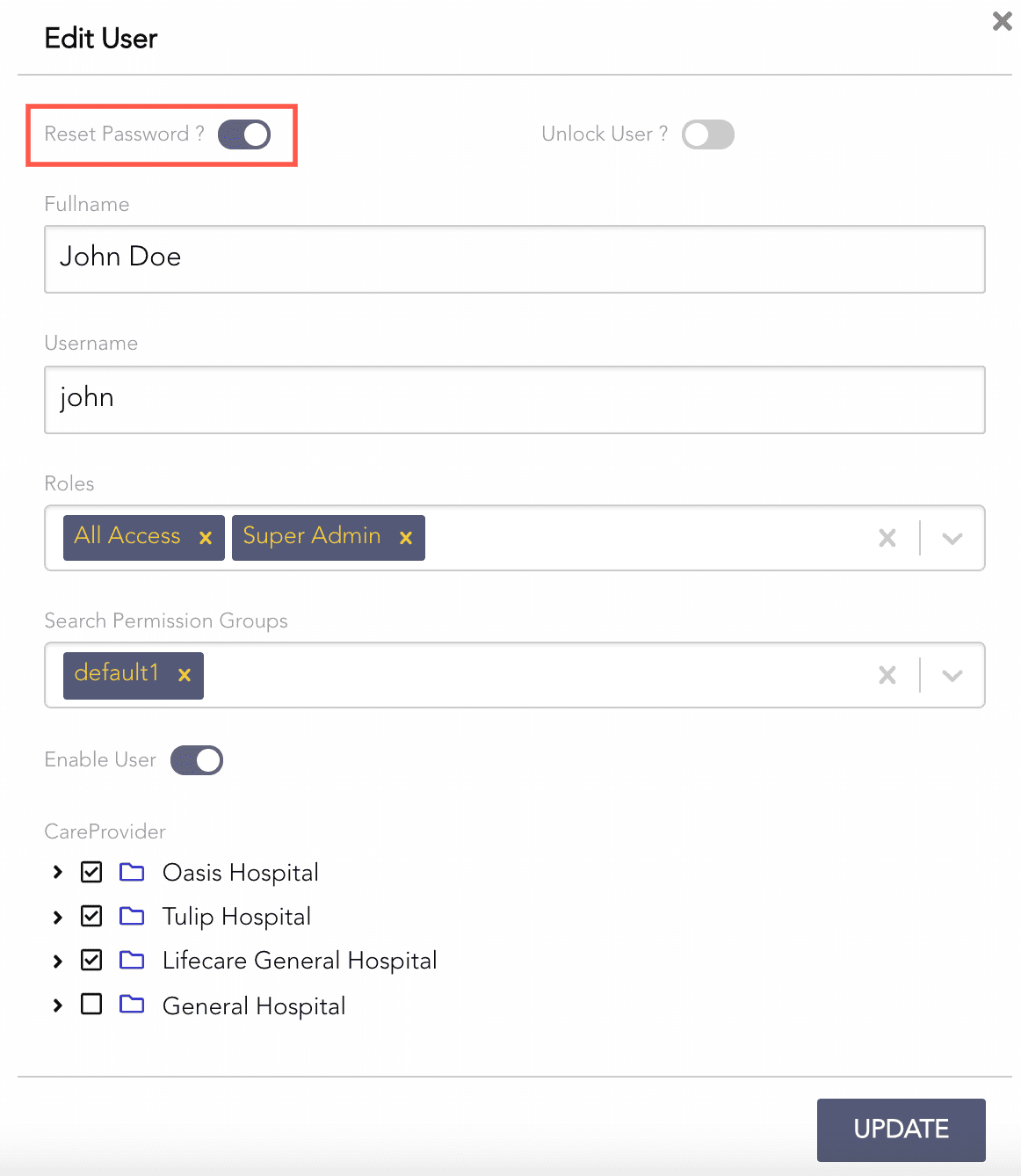
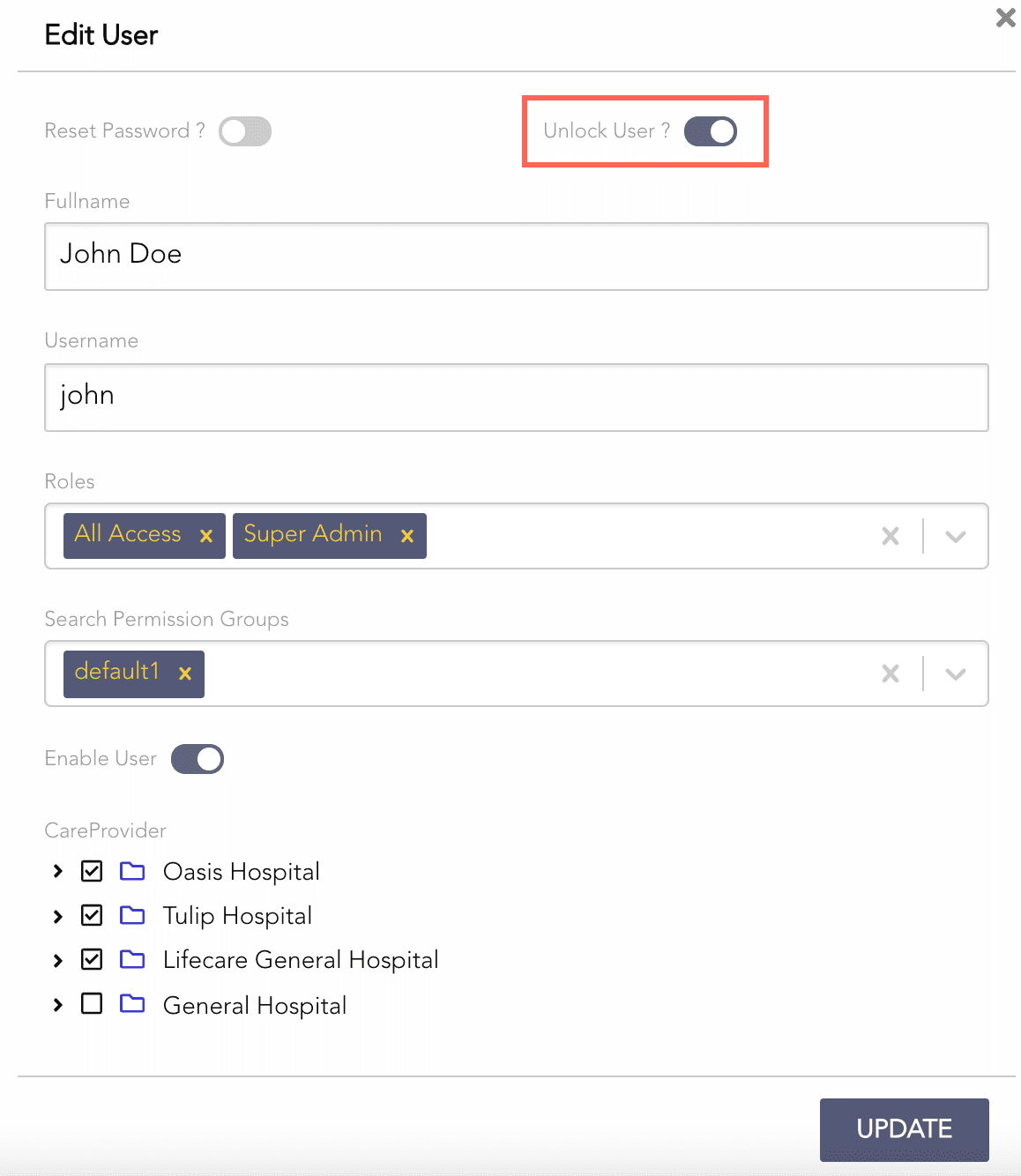
Super admin or admin can create and manage other users. There is only one Admin User. So, you cannot asign the Admin Role to any other user. Go to Users to learn about all types of users.
Select Users from the left navigation bar.
Click Create User.
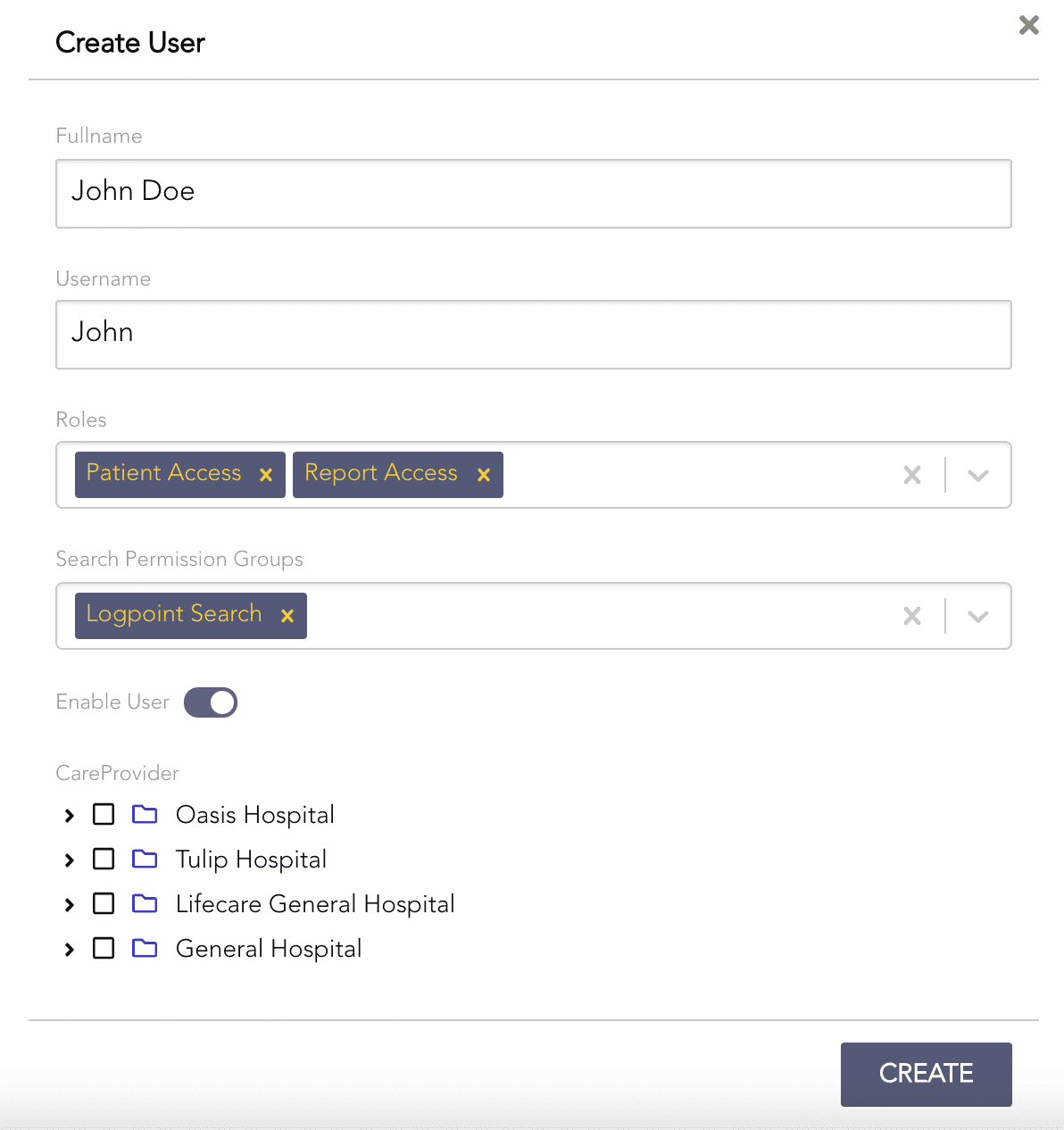
Creating a User
Enter a Fullname for the user.
Enter a Username to log into the AAHC.
Note
By default, the password is set to “1am@aaHc”.
Select the user’s Roles. For details, go to Users.
Select the user’s Search Permission Groups. A user can belong to multiple search permission groups. For details, go to Search Permission Groups.
Deselect Enable User. By default, the user is enabled.
Select the Care Provider and its care units. The user has permission for the selected care units only.
You import a list of care providers and their care units in JSON format using Export & Import. If you don’t, the Care Provider list will be empty.
If you upgrade AAHC to v1.8.0 from the previous versions, AAHC adds all the existing users in the default search permission group.
Click Create.
Select Users from the left navigation bar.
Click the View icon from the Actions column.
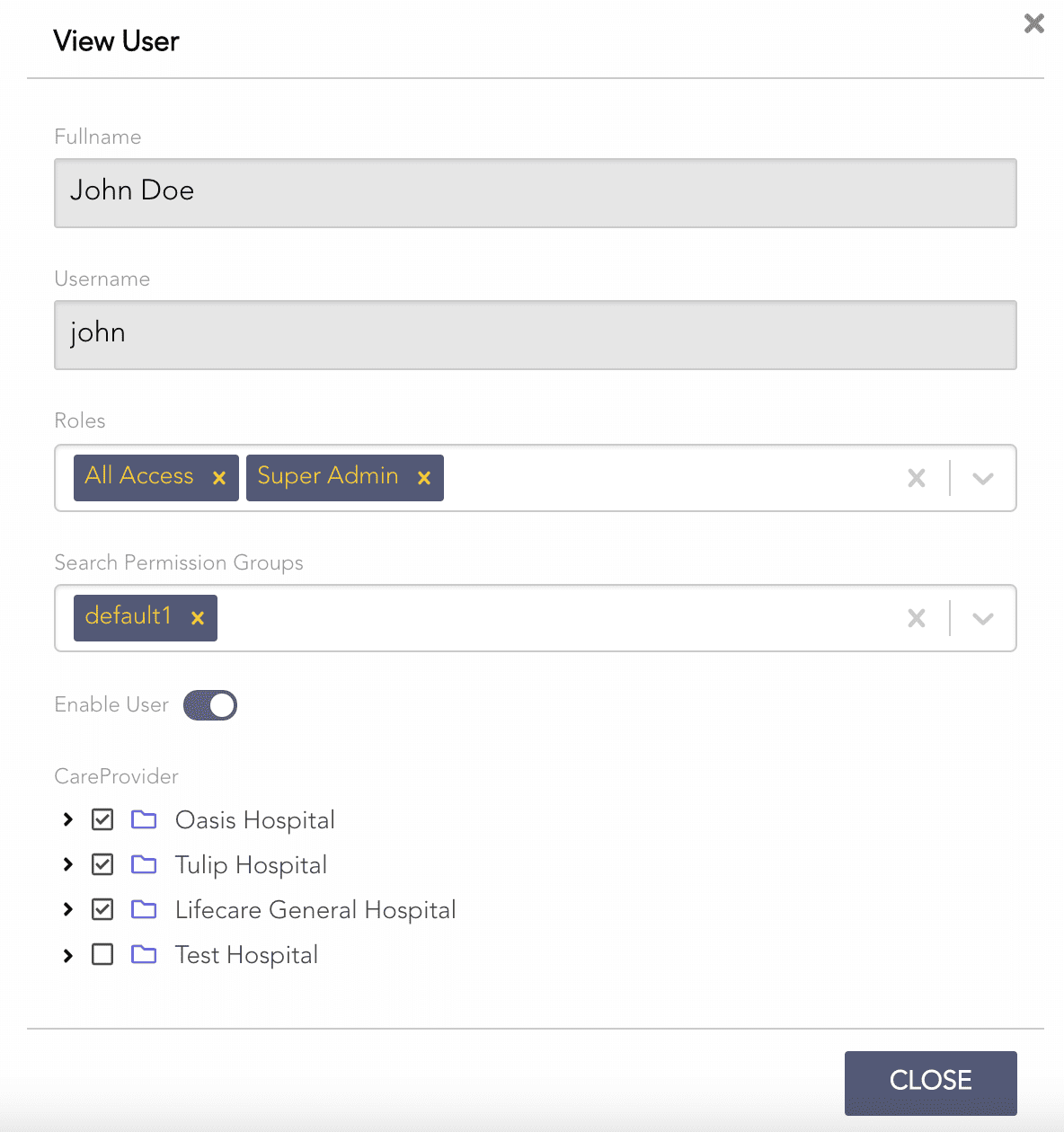
Viewing the Details of a User
Select Users from the left navigation bar.
Click the Edit icon from the Actions column.
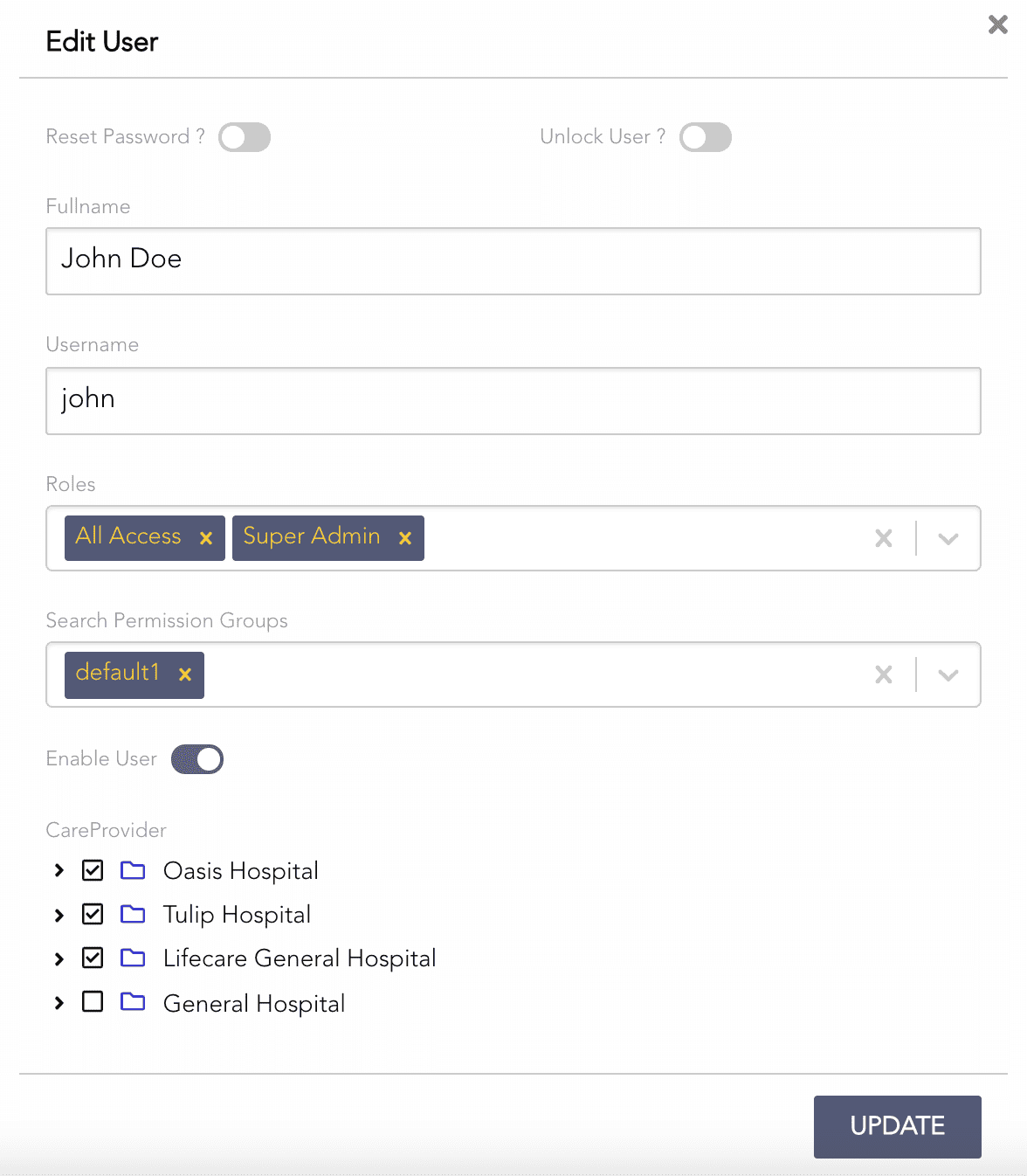
Editing a User
Change the required parameters and click UPDATE.
Select Users from the left navigation bar.
Click the Edit icon from the Actions column.
Deselect Enable User.
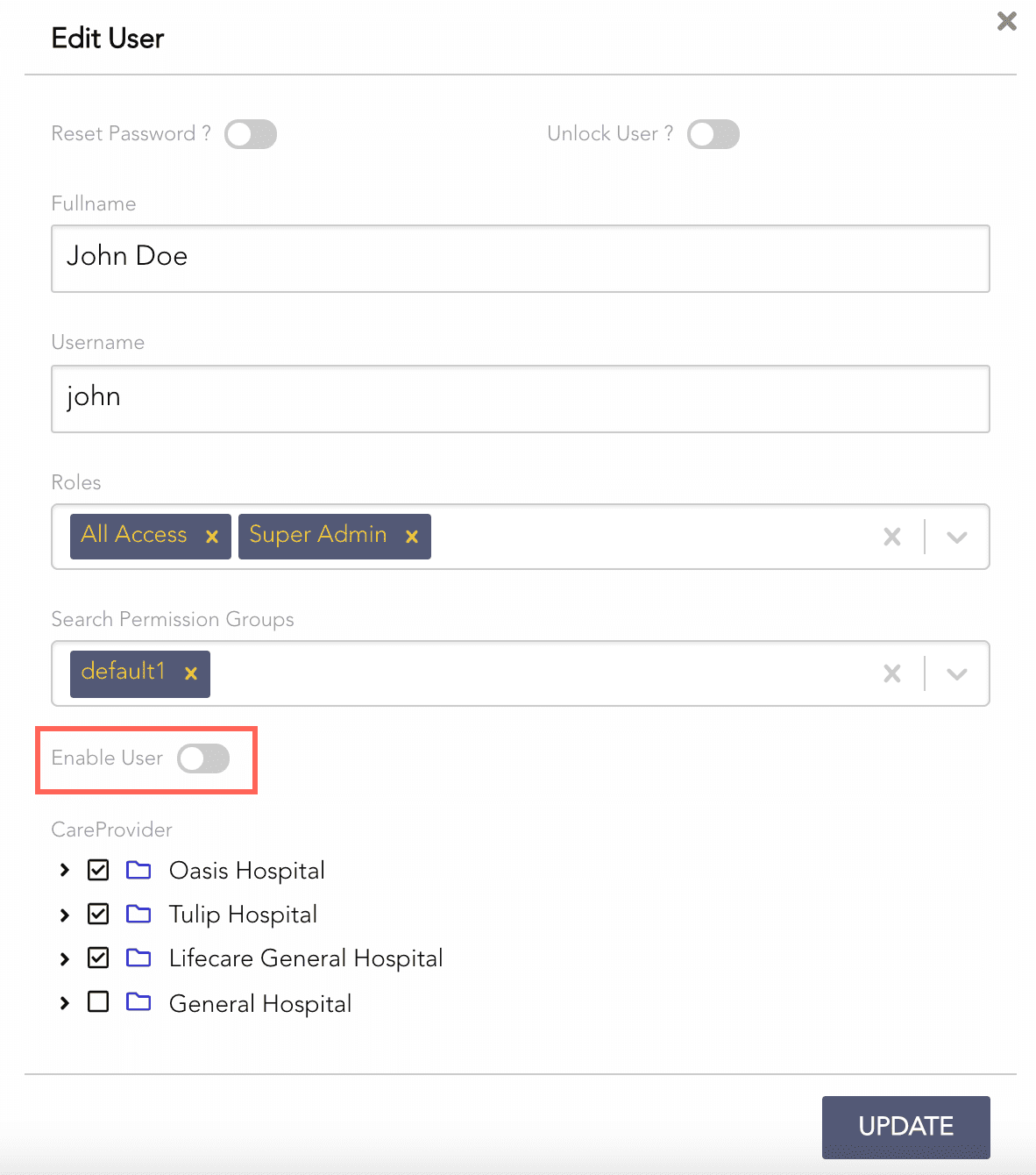
Disabling a User
Click Update.